Programming Level 1—Foundations
After completing both Electronics levels.
View Programming Level 2Stage 2: Programming
After Electronics, two Programming levels develop the logic and control skills your child will use in Robotics.

Programming Level 1 follows Electronics Levels 1 and 2. Programming Level 2 follows completion of Programming Level 1.
View ElectronicsElectronics L1 → Electronics L2 → Programming L1 → Programming L2 → Robotics
Tell us about previous learning so we can review your child’s support needs within the required sequence.
Learn Scratch in Level 1 and Python in Level 2 to prepare for Robotics.
After completing both Electronics levels.
View Programming Level 2After completing Programming Level 1.
View Entry RequirementsEnquire about current arrangements for your child’s next level.
The teacher checks practical work and each learner’s own understanding.
Further practice is provided where needed. Attendance alone does not establish completion.
Explaining and testing a program helps make understanding visible. Enquire about project examples for the relevant level.
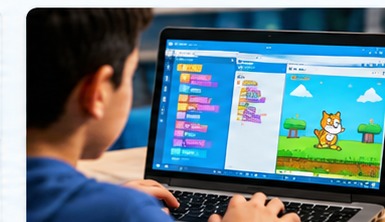
Connect program behavior with the instructions that produce it.
View Student ProjectsImages are illustrative and are not presented as verified student results.
After completing both Electronics levels and both Programming levels, students progress to Robotics when the teacher has recorded the required foundation skills.
Explore RoboticsTell us about your child, and we’ll help you understand how to begin the TechNest learning journey.